Introduction
Background
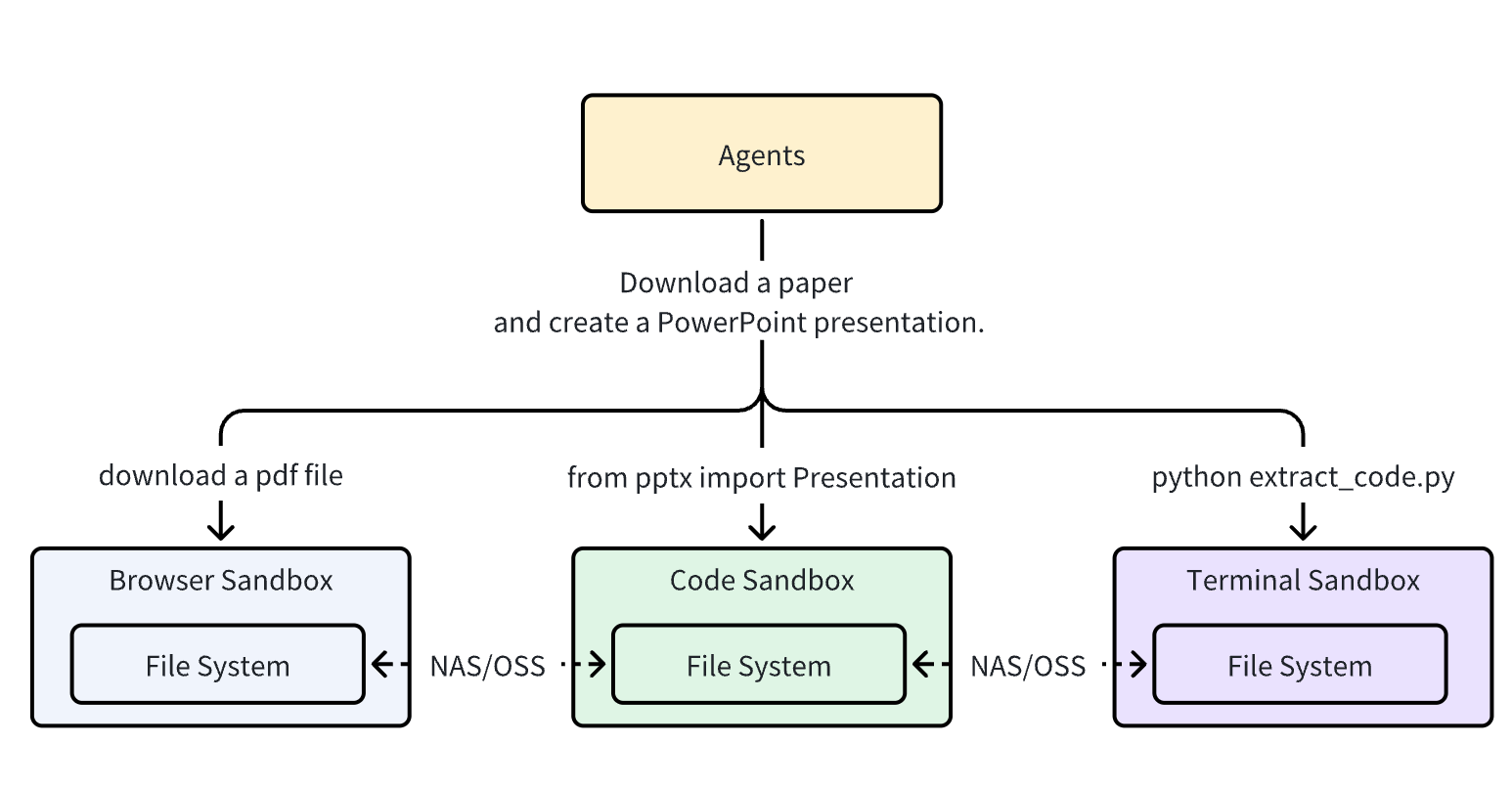
Most sandboxes are single-purpose (browser, code, or shell), making file sharing and functional coordination extremely challenging. For instance, files downloaded by a browser sandbox often need to be copied through external storage before other tools can use them, and an Agent task may require several environments to be ready before it can run.
What is AIO Sandbox?
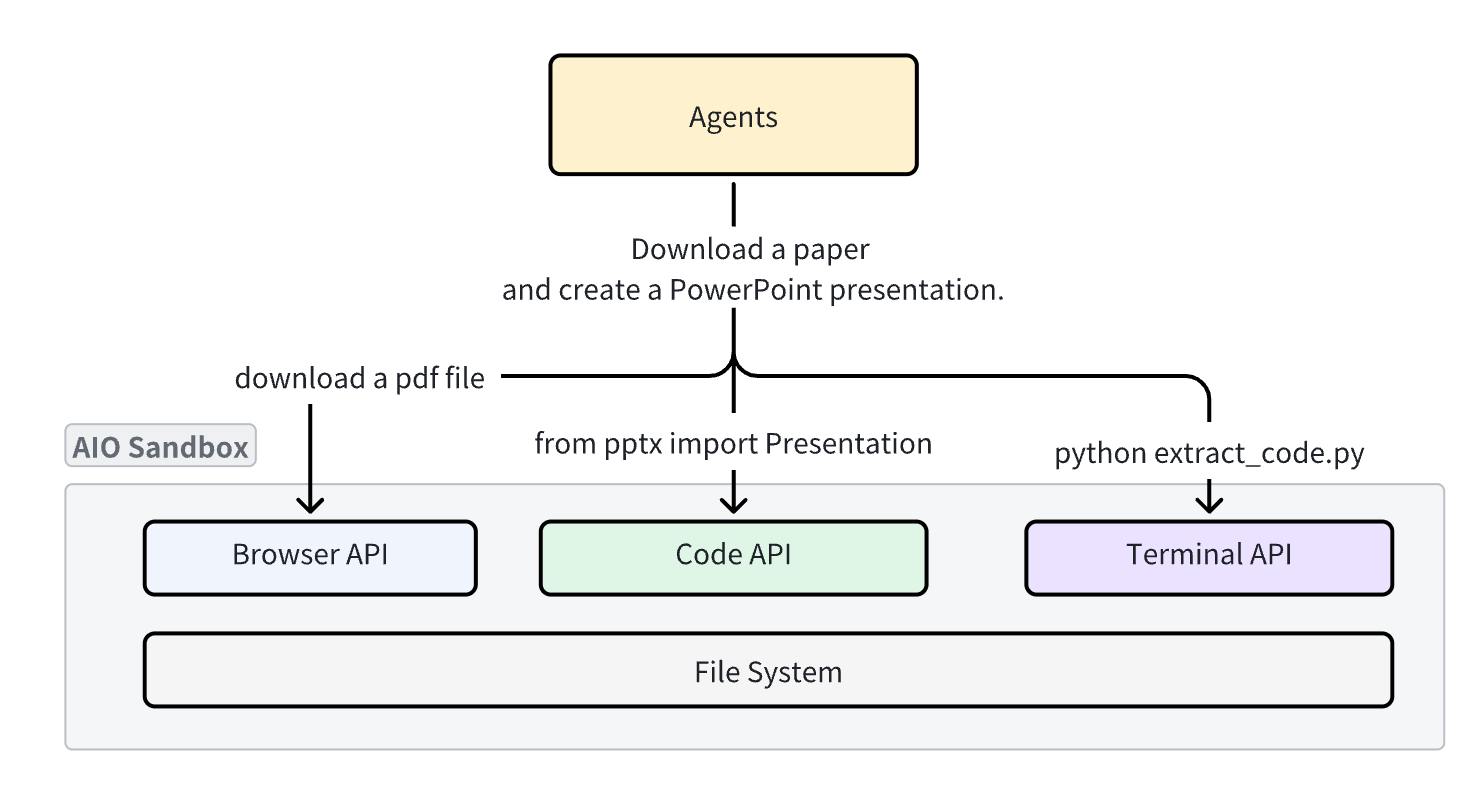
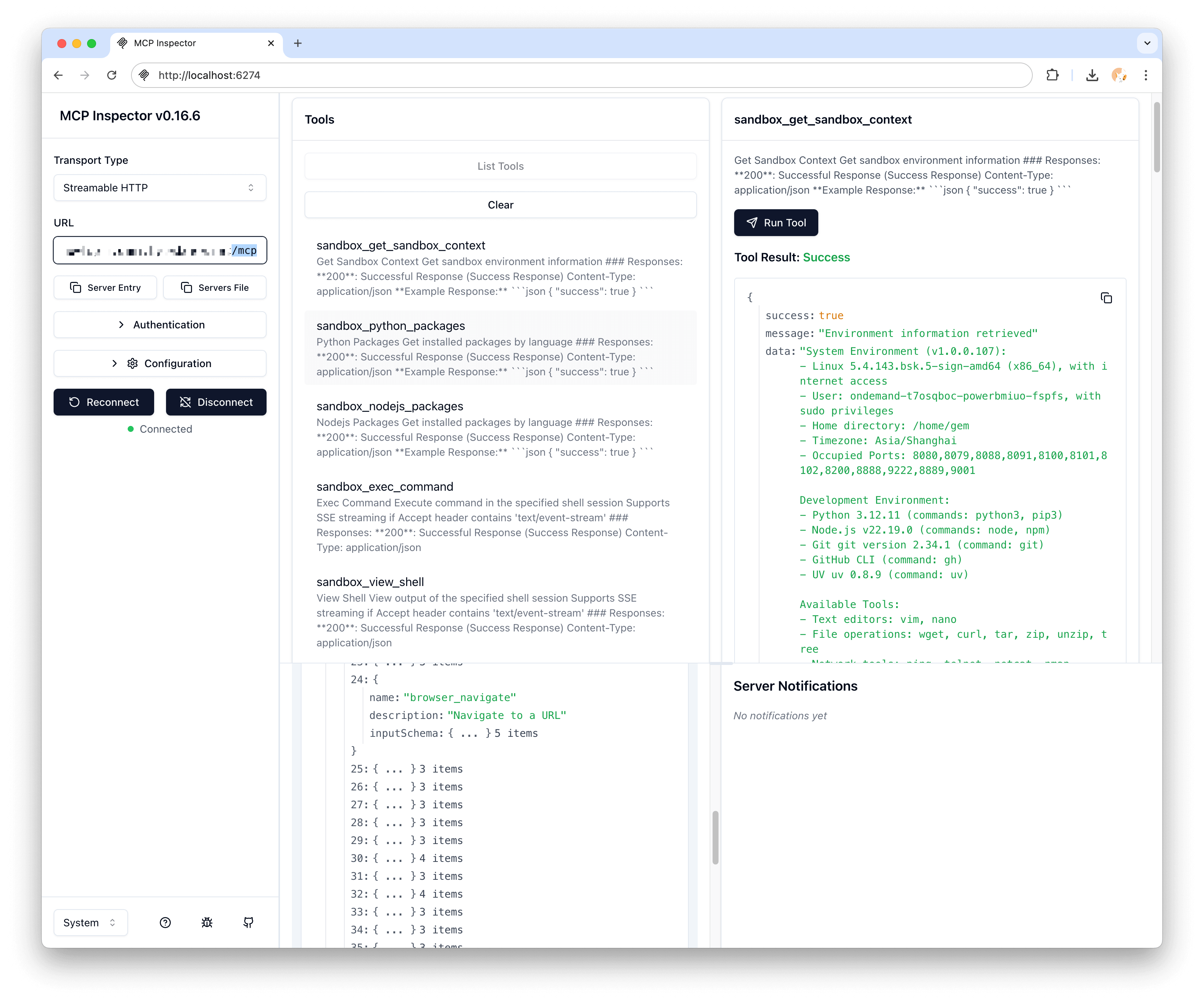
AIO Sandbox is an all-in-one agent sandbox environment that combines Browser, Shell, File, MCP operations, and VSCode Server in a single Docker container. Built on Cloud-native lightweight sandbox technology, it provides a unified sandbox environment for AI agents and developers.
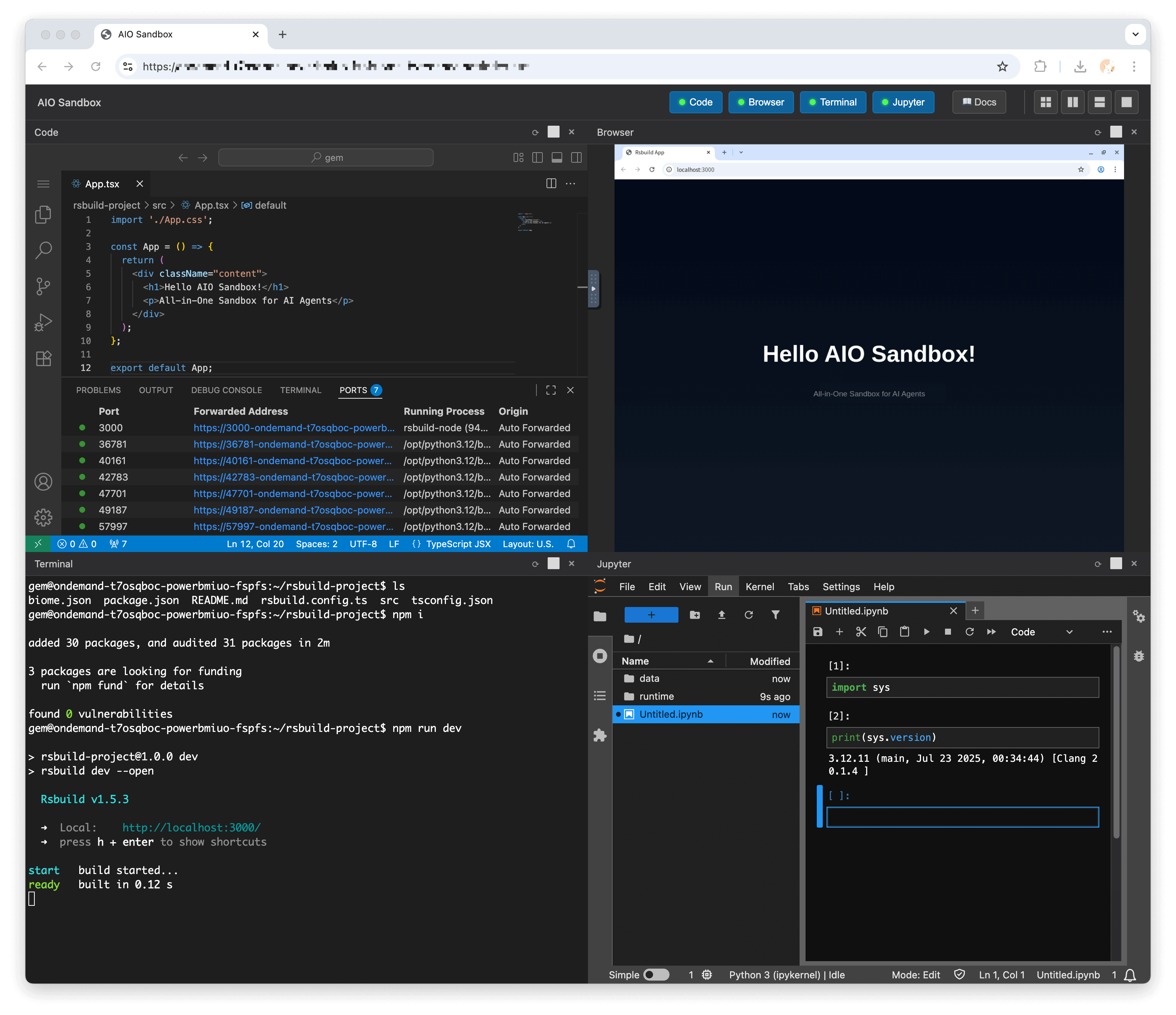
Beyond tool integration, it offers live sandbox previews to watch agent activity, and provides agent-friendly APIs (MCP-ready) for easy integration for Agents.
Key Features
Unified File System
Because all components run in the same container, files downloaded in the browser are immediately accessible through Shell and File operations, enabling seamless workflows.
Multi-Interface Access
- VNC: Visual browser interaction at
/vnc/index.html - Code Server: Full VSCode experience at
/code-server/ - Terminal: WebSocket terminal at
/v1/shell/ws - Bash: Pipe-based command execution at
/v1/bash/* - Code Runtimes: Python and JavaScript execution through
/v1/code/*,/v1/jupyter/*, and/v1/nodejs/* - MCP Hub: Aggregated services at
/mcp
MCP Integration
APIs and MCP servers support mutual invocation, enabling seamless communication between different service layers and enhanced interoperability:
- Browser automation
- File system operations
- Terminal interactions
- Code execution
- Skills
- Document processing (Markitdown)
Development Preview
Built-in proxy endpoints for testing applications:
- Wildcard Domain Access:
${port}-${domain}for wildcard domain routing - Subpath Access:
/proxy/{port}/for backend services/absproxy/{port}/for frontend applications
Use Cases
AI Agent Development
Perfect for building AI agents that need to:
- Browse websites and interact with web applications
- Execute code in secure sandboxes
- Manipulate files and run shell commands
- Access multiple development tools seamlessly
Cloud Development
Ideal for teams needing:
- Remote development environments
- Standardized tooling across team members
- Secure code execution environments
- Easy deployment and scaling
Automation Workflows
Great for scenarios requiring:
- Browser automation with visual feedback
- File processing and code generation
- Multi-step development pipelines
- Integration testing environments
Architecture Overview

Getting Started
Ready to dive in? Check out our Quick Start guide to get your AIO Sandbox running in minutes.
For detailed information about specific components, explore the guides in the sidebar navigation. If you plan to deploy on a cloud host or Kubernetes, see Cloud Deployment. If you are deciding where your agent should run, see Agent Call Sandbox vs In Sandbox.