
• 简体中文
  • MCP 集成

    AIO Sandbox 中的模型上下文协议(MCP)Hub 为 AI Agent 提供了一个集中式接口,通过单个端点访问多个服务。
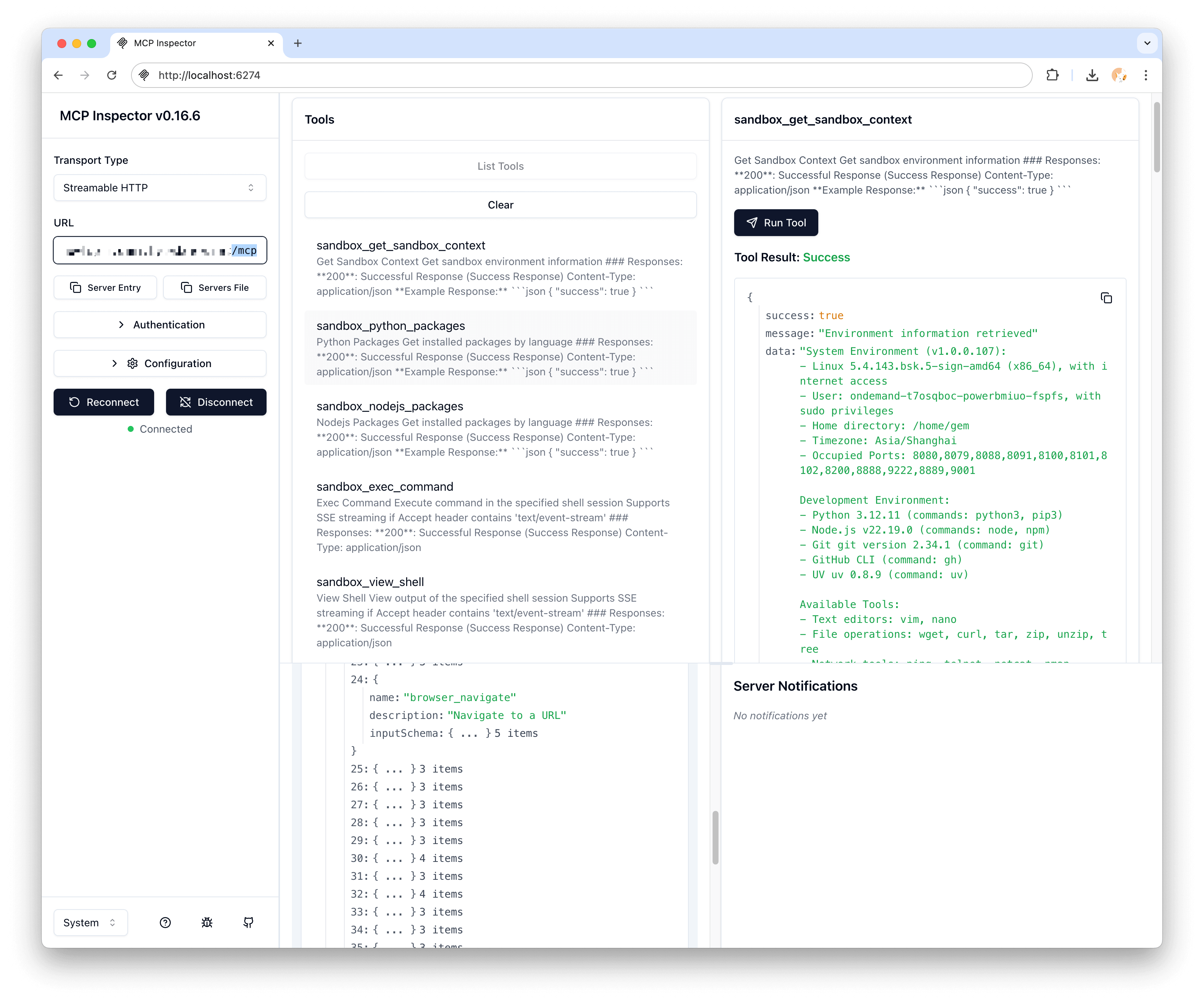
    什么是 MCP?

    MCP(模型上下文协议)是 AI Agent 与外部工具和服务交互的标准化方式。AIO Sandbox 包含一个预配置的 MCP Hub,聚合了多个有用的服务器。

    可用的 MCP 服务器

    浏览器服务器

    • 端点:包含在 /mcp 中
    • 功能:Web 浏览、页面交互、截图捕获
    • 用例:Web 抓取、表单填写、内容提取

    文件服务器

    • 端点:包含在 /mcp 中
    • 功能:文件系统操作、搜索、内容操作
    • 用例:代码生成、文件处理、数据管理

    终端服务器

    • 端点:包含在 /mcp 中
    • 功能:Shell 命令执行、进程管理
    • 用例:构建自动化、系统管理、开发工作流

    Markitdown 服务器

    • 端点:包含在 /mcp 中
    • 功能:文档转换、Markdown 处理
    • 用例:文档生成、内容转换

    访问 MCP 服务

    HTTP 端点

    GET http://localhost:8080/mcp

    MCP Hub 支持可流式 HTTP 协议以实现实时通信。

    连接示例

    import httpx
    import json
    
    async def query_mcp_hub():
        async with httpx.AsyncClient() as client:
            response = await client.post(
                "http://localhost:8080/mcp",
                json={
                    "method": "tools/call",
                    "params": {
                        "name": "browser_navigate",
                        "arguments": {
                            "url": "https://example.com"
                        }
                    }
                }
            )
            return response.json()

    JavaScript 示例

    async function callMCPTool(toolName, args) {
        const response = await fetch('http://localhost:8080/mcp', {
            method: 'POST',
            headers: {
                'Content-Type': 'application/json'
            },
            body: JSON.stringify({
                method: 'tools/call',
                params: {
                    name: toolName,
                    arguments: args
                }
            })
        });
    
        return await response.json();
    }
    
    // 使用示例
    const result = await callMCPTool('file_read', {
        path: '/tmp/example.txt'
    });

    工具分类

    浏览器工具

    • browser_navigate - 导航到 URL
    • browser_click - 点击元素
    • browser_type - 输入文本
    • browser_screenshot - 捕获截图
    • browser_extract - 提取页面内容

    文件工具

    • file_read - 读取文件内容
    • file_write - 写入文件
    • file_list - 列出目录内容
    • file_search - 搜索文件内容
    • file_replace - 替换文件中的文本

    终端工具

    • terminal_execute - 运行 Shell 命令
    • terminal_session - 管理终端会话
    • terminal_kill - 终止进程
    • sandbox_execute_bash - 运行 Bash 管道命令;支持 truncate 参数,默认截断超长输出,设为 false 时返回完整输出。更多细节见 Bash 管道。

    文档工具

    • markitdown_convert - 将文档转换为 Markdown
    • markitdown_extract - 从文档中提取内容

    Agent 集成模式

    基本 Agent 设置

    import asyncio
    from openai import AsyncOpenAI
    
    class MCPAgent:
        def __init__(self, sandbox_url="http://localhost:8080"):
            self.sandbox_url = sandbox_url
            self.client = AsyncOpenAI()
    
        async def call_tool(self, tool_name, **kwargs):
            """通过沙盒调用 MCP 工具"""
            async with httpx.AsyncClient() as client:
                response = await client.post(
                    f"{self.sandbox_url}/mcp",
                    json={
                        "method": "tools/call",
                        "params": {
                            "name": tool_name,
                            "arguments": kwargs
                        }
                    }
                )
                return response.json()
    
        async def browse_and_analyze(self, url):
            """示例:浏览页面并分析内容"""
            # 导航到页面
            await self.call_tool("browser_navigate", url=url)
    
            # 截图
            screenshot = await self.call_tool("browser_screenshot")
    
            # 提取内容
            content = await self.call_tool("browser_extract")
    
            # 保存内容到文件
            await self.call_tool("file_write",
                               path="/tmp/content.txt",
                               content=content["text"])
    
            return {
                "screenshot": screenshot,
                "content": content,
                "saved_to": "/tmp/content.txt"
            }

    错误处理

    常见错误

    async def robust_mcp_call(tool_name, **kwargs):
        """带有适当错误处理的 MCP 调用"""
        try:
            response = await client.post(
                "http://localhost:8080/mcp",
                json={
                    "method": "tools/call",
                    "params": {
                        "name": tool_name,
                        "arguments": kwargs
                    }
                },
                timeout=30.0
            )
    
            if response.status_code != 200:
                raise Exception(f"MCP 调用失败:{response.status_code}")
    
            result = response.json()
    
            if "error" in result:
                raise Exception(f"工具错误:{result['error']}")
    
            return result
    
        except httpx.TimeoutException:
            raise Exception("MCP 调用超时")
        except httpx.ConnectError:
            raise Exception("无法连接到 MCP Hub")
        except Exception as e:
            raise Exception(f"MCP 调用失败:{str(e)}")

    重试逻辑

    import asyncio
    import random
    
    async def retry_mcp_call(tool_name, max_retries=3, **kwargs):
        """带有指数退避重试的 MCP 调用"""
        for attempt in range(max_retries):
            try:
                return await robust_mcp_call(tool_name, **kwargs)
            except Exception as e:
                if attempt == max_retries - 1:
                    raise e
    
                # 带抖动的指数退避
                delay = (2 ** attempt) + random.uniform(0, 1)
                await asyncio.sleep(delay)

    性能优化

    连接池

    import httpx
    
    class OptimizedMCPClient:
        def __init__(self, sandbox_url, max_connections=10):
            self.sandbox_url = sandbox_url
            self.client = httpx.AsyncClient(
                limits=httpx.Limits(max_connections=max_connections),
                timeout=httpx.Timeout(30.0)
            )
    
        async def call_tool_batch(self, calls):
            """并发执行多个 MCP 调用"""
            tasks = []
            for tool_name, kwargs in calls:
                task = self.call_tool(tool_name, **kwargs)
                tasks.append(task)
    
            return await asyncio.gather(*tasks, return_exceptions=True)
    
        async def close(self):
            await self.client.aclose()

    缓存

    from functools import lru_cache
    import hashlib
    
    class CachedMCPClient:
        def __init__(self):
            self._cache = {}
    
        def _cache_key(self, tool_name, **kwargs):
            """为工具调用生成缓存键"""
            content = f"{tool_name}:{sorted(kwargs.items())}"
            return hashlib.md5(content.encode()).hexdigest()
    
        async def cached_call_tool(self, tool_name, ttl=300, **kwargs):
            """带缓存的工具调用"""
            cache_key = self._cache_key(tool_name, **kwargs)
    
            # 检查缓存
            if cache_key in self._cache:
                cached_result, timestamp = self._cache[cache_key]
                if time.time() - timestamp < ttl:
                    return cached_result
    
            # 实际调用
            result = await self.call_tool(tool_name, **kwargs)
    
            # 缓存结果
            self._cache[cache_key] = (result, time.time())
    
            return result

    安全考虑

    安全工具执行

    ALLOWED_TOOLS = [
        'browser_navigate', 'browser_extract', 'browser_screenshot',
        'file_read', 'file_write', 'file_list',
        'markitdown_convert'
    ]
    
    RESTRICTED_TOOLS = [
        'terminal_execute',  # 需要验证
        'file_delete',       # 需要确认
    ]
    
    async def safe_tool_call(tool_name, **kwargs):
        """带验证的安全执行 MCP 工具"""
        if tool_name not in ALLOWED_TOOLS:
            if tool_name in RESTRICTED_TOOLS:
                # 需要额外验证
                if not await validate_restricted_call(tool_name, **kwargs):
                    raise Exception(f"受限工具调用不允许:{tool_name}")
            else:
                raise Exception(f"未知工具:{tool_name}")
    
        return await call_tool(tool_name, **kwargs)
    
    async def validate_restricted_call(tool_name, **kwargs):
        """验证受限工具调用"""
        if tool_name == 'terminal_execute':
            command = kwargs.get('command', '')
            # 阻止危险命令
            dangerous_patterns = ['rm -rf', 'dd if=', 'mkfs', '> /dev/']
            return not any(pattern in command for pattern in dangerous_patterns)
    
        return False

    监控和调试

    记录 MCP 调用

    import logging
    
    logging.basicConfig(level=logging.INFO)
    logger = logging.getLogger(__name__)
    
    async def logged_mcp_call(tool_name, **kwargs):
        """带全面日志记录的 MCP 调用"""
        start_time = time.time()
    
        logger.info(f"MCP 调用开始:{tool_name} 参数 {kwargs}")
    
        try:
            result = await call_tool(tool_name, **kwargs)
            duration = time.time() - start_time
    
            logger.info(f"MCP 调用完成:{tool_name} 耗时 {duration:.2f}秒")
            return result
    
        except Exception as e:
            duration = time.time() - start_time
            logger.error(f"MCP 调用失败:{tool_name} 耗时 {duration:.2f}秒 - {str(e)}")
            raise

    下一步